Nuva team
Using Real People in AI Commercial Content: A Permissions Checklist
Review likeness consent, source assets, AI tools, campaign scope, and approvals before using real people in AI-generated commercial content.
An AI tool may let you upload a portrait and generate a campaign image in minutes. Preparing that image for commercial publication involves more than checking whether the output looks good.
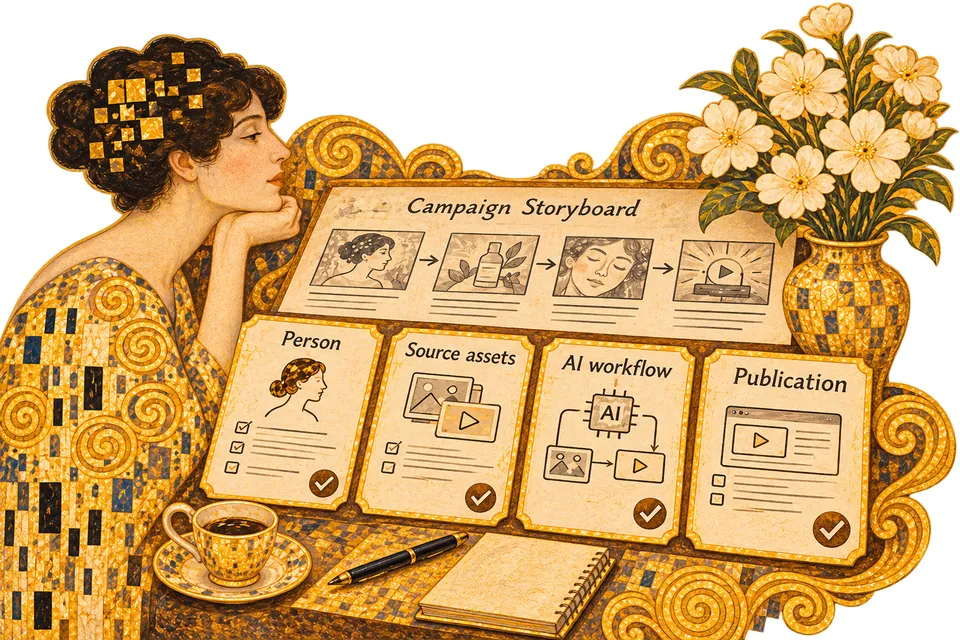
For content representing a real person, review the person's permission, the source assets, the tool workflow, and the intended publication together. Each answers a different question about what you can do.
This checklist helps producers organize that review. It is practical scoping guidance; requirements vary by agreement, jurisdiction, production, and publishing channel.
1. Identify the person and who can grant permission
Confirm whose likeness the content is intended to represent. Establish whether you are dealing with the person directly or an authorized representative, and check any relevant representation restrictions.
- The represented person is identified.
- The signer's authority is understood.
- Relevant agency, employment, or exclusivity arrangements have been considered.
Identity verification supports this step. It does not, on its own, authorize a campaign.
2. Check the reference material
A portrait may involve both the person depicted and the rights of the photographer or another rights holder. Resolve the permission to use the actual files in your proposed AI workflow.
- The source of each image, clip, or recording is documented.
- The necessary asset permissions have been checked.
- Uploading, editing, and processing the material fit those permissions.
Do not assume a publicly available photograph is available for unrestricted use.
3. Describe the AI use clearly
An ordinary photo release should be reviewed for the actual proposed use rather than assumed to cover every AI process.
- The agreement addresses the intended AI-generated depiction.
- Any training or fine-tuning is explicitly addressed.
- Voice, performance, and reusable identity assets are addressed where relevant.
- Retention and third-party access fit the agreed scope.
For a platform-specific example, Adobe Stock's generative AI guidelines require model releases for submitted AI content depicting, based on, or intended to portray an identifiable person. That is Adobe Stock's submission policy, not a universal release rule for every channel.
4. Define the campaign boundaries
Convert a general creative idea into a scope that the talent and production team can both understand.
- Brand and product.
- Scene, script, and permitted depiction.
- Media channels and formats.
- Territory and duration.
- Exclusivity, if any.
- Renewal and changed-scope process.
A hypothetical skincare brief, for example, should distinguish a person appearing beside a product from that person appearing to claim a personal treatment result. The wording and implied message deserve review alongside the image.
5. Review the tools and vendors
Map where the files will go before production begins.
- Tool terms permit the intended workflow and commercial output.
- Upload, training, retention, and sharing terms have been reviewed.
- Vendors receive only the materials and permissions needed for the job.
- Client handover does not grant broader access than authorized.
If the workflow changes, recheck it. Approval for one processing arrangement should not be treated as automatic approval for any replacement service.
6. Check the output and publishing context
Compare the final work with the agreed depiction. Review product accuracy, statements, and the implications of the person's appearance.
- Required approvals are complete.
- The output stays within the agreed scenario.
- Product details and claims have been reviewed.
- Relevant advertising and AI-disclosure requirements have been checked for the destination market and channel.
Likeness permission is one part of campaign clearance. It does not replace the other reviews relevant to the work.
7. Prepare a usable handover record
Keep the agreement, approvals, final asset versions, and usage dates together. Give the publishing team a concise statement of where and how long the content may run.
- The final files can be connected to the relevant license.
- The team responsible for expiry and renewal is identified.
- Requests for new markets, edits, or extensions have a review path.
Nuva's planned marketplace brings talent discovery, defined licensing, and traceable records into the same process. That documentation is intended to make agreed use easier to follow across teams.
Frequently asked questions
Does a model release cover AI generation?
It depends on the wording and applicable context. Review the actual release against the proposed generation, training, distribution, and commercial uses.
Is a license certificate enough to clear the whole advertisement?
No. Read the scope it documents and review the remaining elements, including source material, claims, tools, and channel requirements.
Can we extend a campaign after it performs well?
Check the existing terms and arrange any required extension before continuing outside the licensed period or scope.
Start with a clear brief
Nuva is launched. Share the planned content, markets, channels, timing, and AI workflow so the licensing discussion can start with the right questions.
Discover your talent today: https://www.nuva-license.com/en/discover
For the full process, read: how to license real-person likeness for AI advertising.